HTTP File Streaming
Concept
In the context of communication between a centralized on-cloud Orchestra installation and an on-premise Orchestra installation, file transmission may be necessary, and certain requirements must be met:
-
To optimize internet connection bandwidth, files can be transmitted in parallel.
-
To improve performance for large file transmissions, the creation of Orchestra Messages must be avoided.
-
In the event of unstable internet connections, it must be possible to recover file transmissions, with only the missing parts of the files being transmitted.
-
Only HTTP/S connections are allowed.
-
After file transmission is complete, it should be possible to trigger a process model for further processing.
These requirements are met by a new component called the Cloud Connector, which consists of two channels:
-
Cloud Connector Server
-
Cloud Connector Client
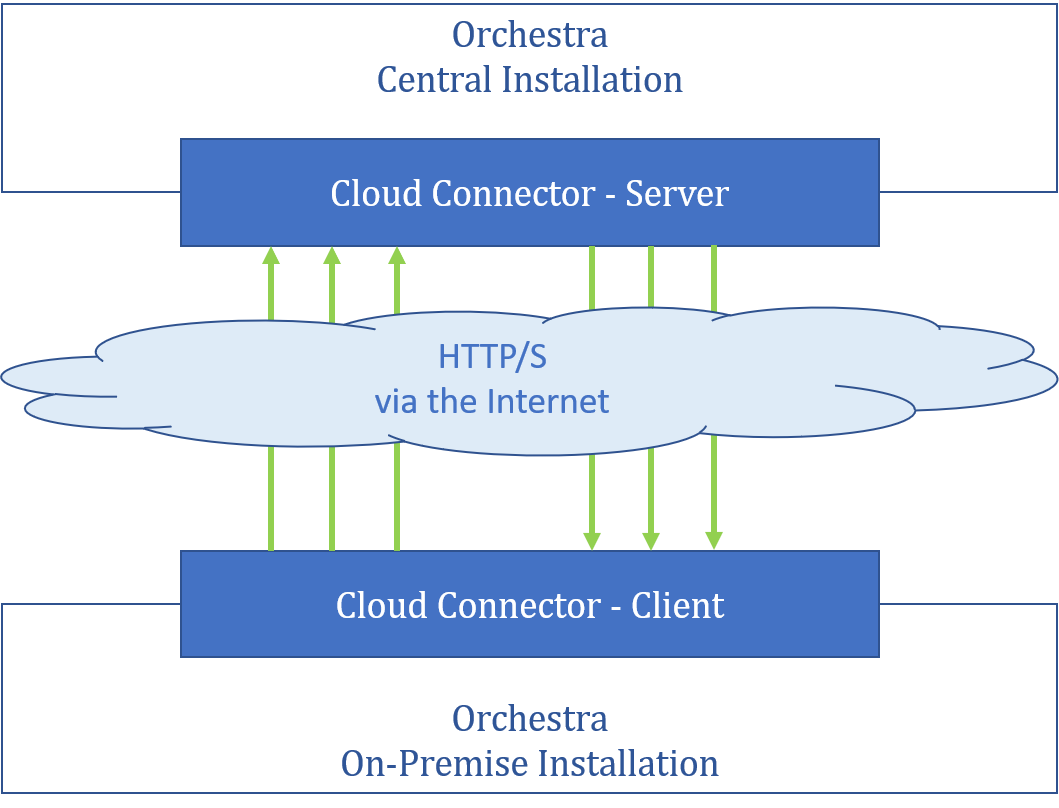
The Cloud Connector Server operates as an HTTP server, waiting for requests from the Cloud Connector Client. The client can send files to the server within a specified directory or download files from the server to a designated directory.
Each transmission uses a Transmission ID as a reference between the server and client. The server uses it as a directory name, allowing the client to utilize it for re-transmission in case of transmission issues.
The Transmission ID is mapped to a local folder on the server. During an upload, all files sent by the client are stored under the Transmission ID within the target folder. During a download, the server checks the outbound folder for the existence of a transmission folder, enabling the client to download all files within that folder.